네이버 웹툰 페이지에서 이름 찾기
import java.util.List;

import org.openqa.selenium.By;
import org.openqa.selenium.WebDriver;
import org.openqa.selenium.WebElement;
import org.openqa.selenium.chrome.ChromeDriver;

public class Exam03 {
	public static void main(String[] args) throws Exception{

		System.setProperty("webdriver.chrome.driver", "chromedriver.exe");
		WebDriver driver = new ChromeDriver();
		driver.get("https://comic.naver.com/webtoon/weekdayList.nhn?week=");

		List<WebElement> thumbs = driver.findElements(By.cssSelector(".thumb a"));
		System.out.println(thumbs.size()); // 찾은 개수 : 50

		Thread.sleep(5000);
		driver.close();
	}
}
cssSelector(".thumb a")
// css 선택자 문법 사용 가능
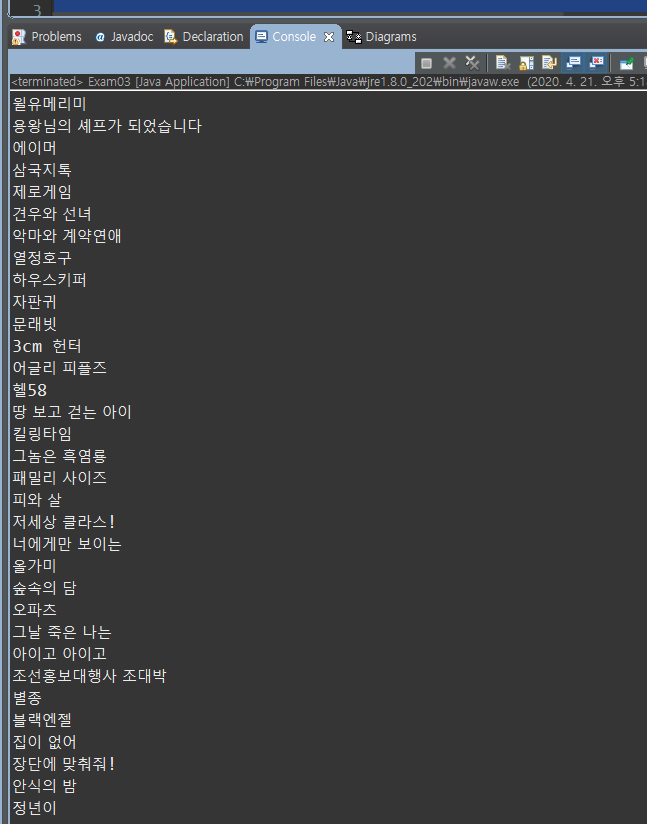
for문으로 정보값 출력
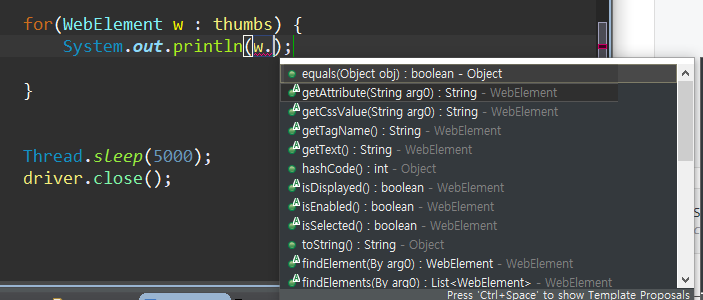
import java.util.List;

import org.openqa.selenium.By;
import org.openqa.selenium.WebDriver;
import org.openqa.selenium.WebElement;
import org.openqa.selenium.chrome.ChromeDriver;

public class Exam03 {
	public static void main(String[] args) throws Exception{

		System.setProperty("webdriver.chrome.driver", "chromedriver.exe");
		WebDriver driver = new ChromeDriver();
		driver.get("https://comic.naver.com/webtoon/weekdayList.nhn?week=");

		List<WebElement> thumbs = driver.findElements(By.cssSelector(".thumb a"));
		System.out.println(thumbs.size());

		for(WebElement w : thumbs) {
			System.out.println(w.getAttribute("title"));
		}

		Thread.sleep(5000);
		driver.close();
	}
}
title이 "여신강림"일 때 클릭
import java.util.List;

import org.openqa.selenium.By;
import org.openqa.selenium.WebDriver;
import org.openqa.selenium.WebElement;
import org.openqa.selenium.chrome.ChromeDriver;

public class Exam03 {
	public static void main(String[] args) throws Exception{

		System.setProperty("webdriver.chrome.driver", "chromedriver.exe");
		WebDriver driver = new ChromeDriver();
		driver.get("https://comic.naver.com/webtoon/weekdayList.nhn?week=");

		List<WebElement> thumbs = driver.findElements(By.cssSelector(".thumb a"));
		System.out.println(thumbs.size());

		for(WebElement w : thumbs) {
			if(w.getAttribute("title").contentEquals("여신강림")) {
				w.click();
			}
		}

		Thread.sleep(5000);
		driver.close();
	}
}
'디지털 컨버전스 > Selenium' 카테고리의 다른 글
| [Selenium] iframe - 내게쓰기 입력 (0) | 2020.04.22 |
|---|---|
| [Selenium] 자바스크립트 입력 - 로그인 (0) | 2020.04.22 |
| [Selenium] 명시적 대기 (0) | 2020.04.22 |
| [Selenium] sendKeys - 로그인 (0) | 2020.04.21 |
| [Selenium] 설치 / 검색 기능 (0) | 2020.04.21 |